
Charge/Data Dock
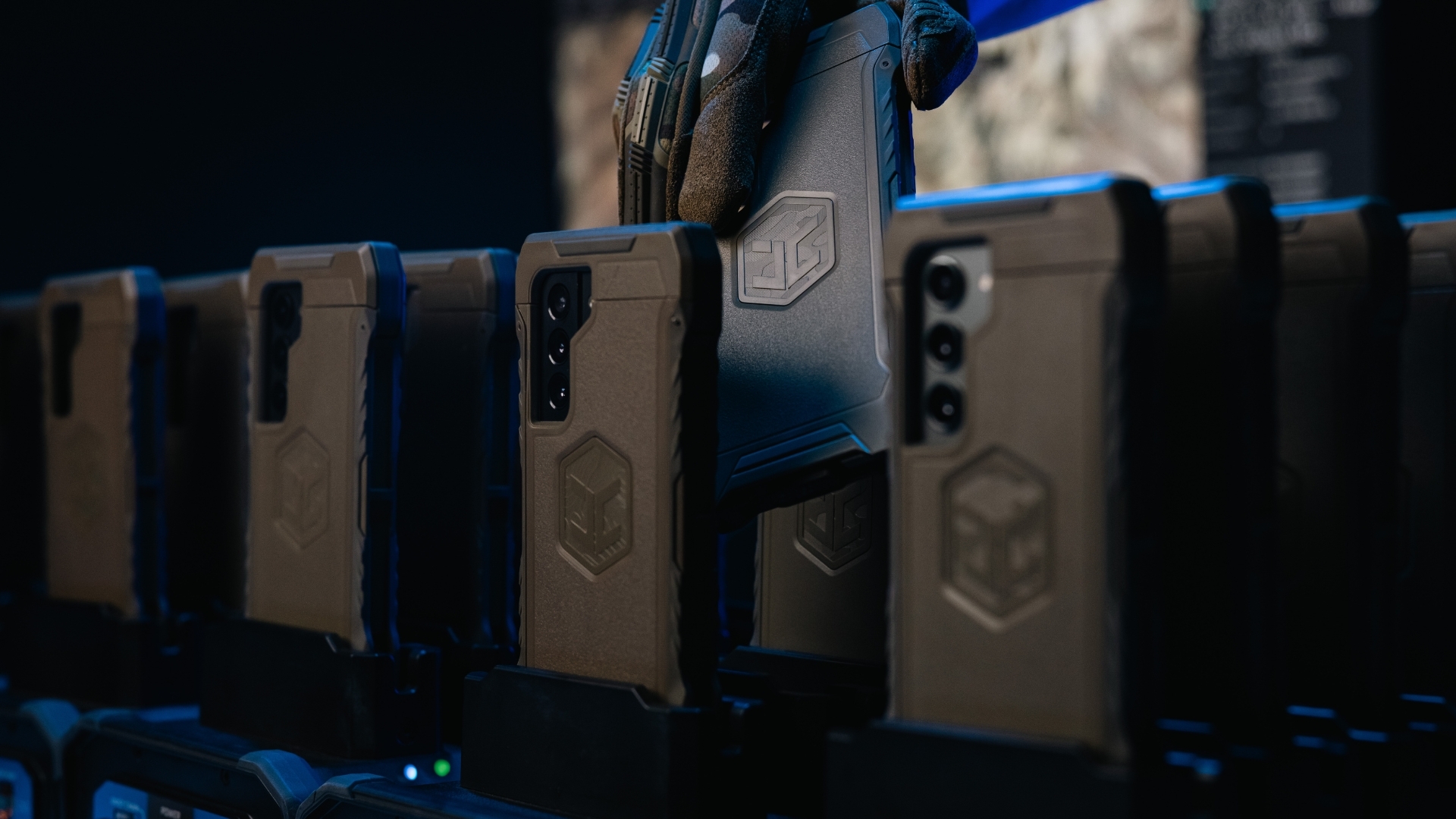
The VELOX Charge/Data Dock replaces the team room chaos of messy cables and exposed devices, with an organized EUD station for charging, data transfer, and redeployment. Smart-Block-equipped OPRTR cases stay protected while EUDs are staged, synced, and prepared for the next mission.
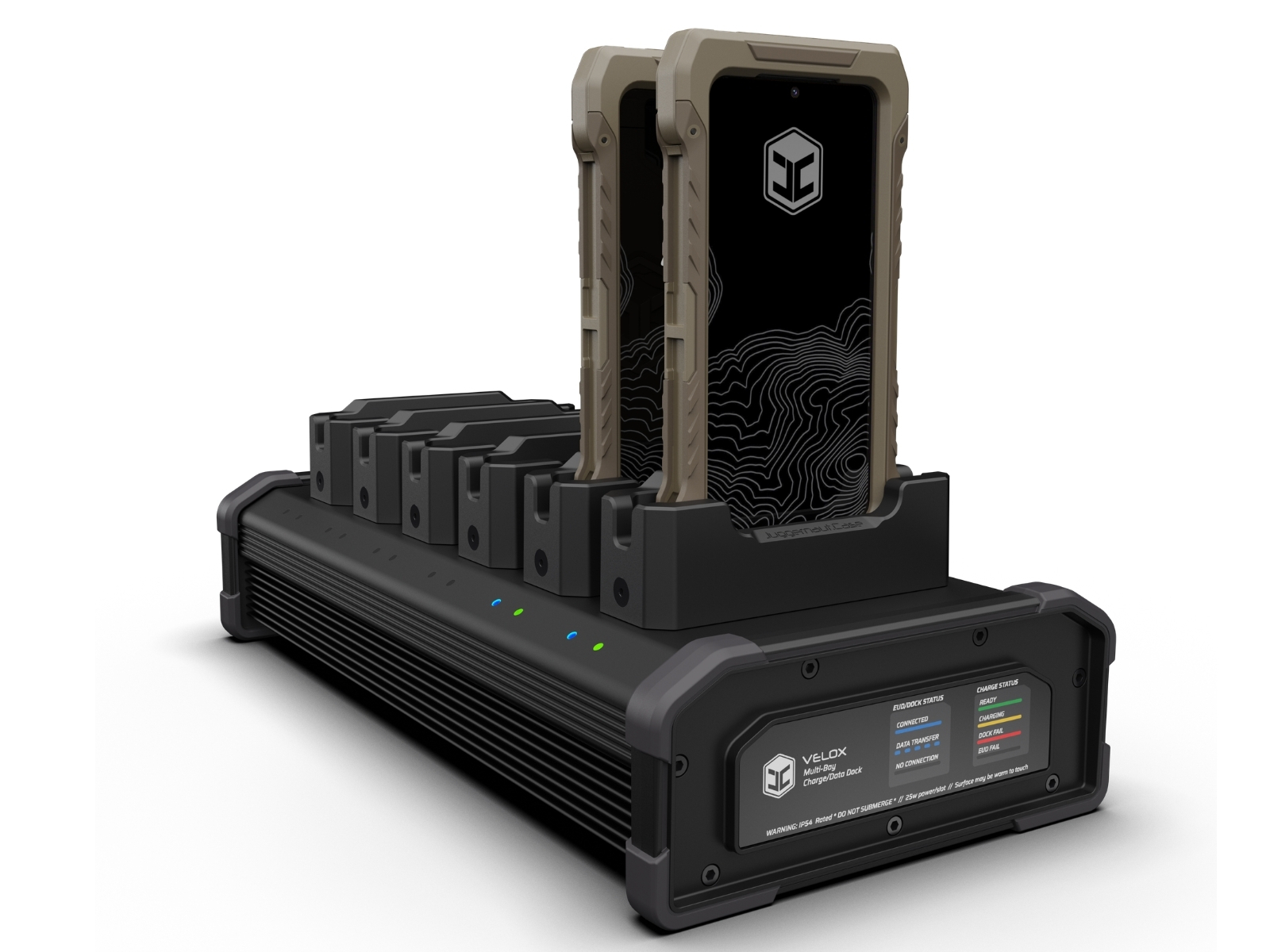
Streamline EUD charging and provisioning.
The VELOX Charge/Data Dock brings structure to the team-room side of EUD management. Teams can stage Smart-Block-equipped OPRTR cases in one organized station for charging, data transfer, MDM provisioning, and redeployment.
Each bay holds the OPRTR case secure and aligns the Smart-Block interface with the VELOX Dock receiver pogo pins, keeping the EUD protected as it moves through the charging and provisioning cycle.
Explore the Charge/Data Dock.
Explore the VELOX Dock’s views, interfaces, and key features.
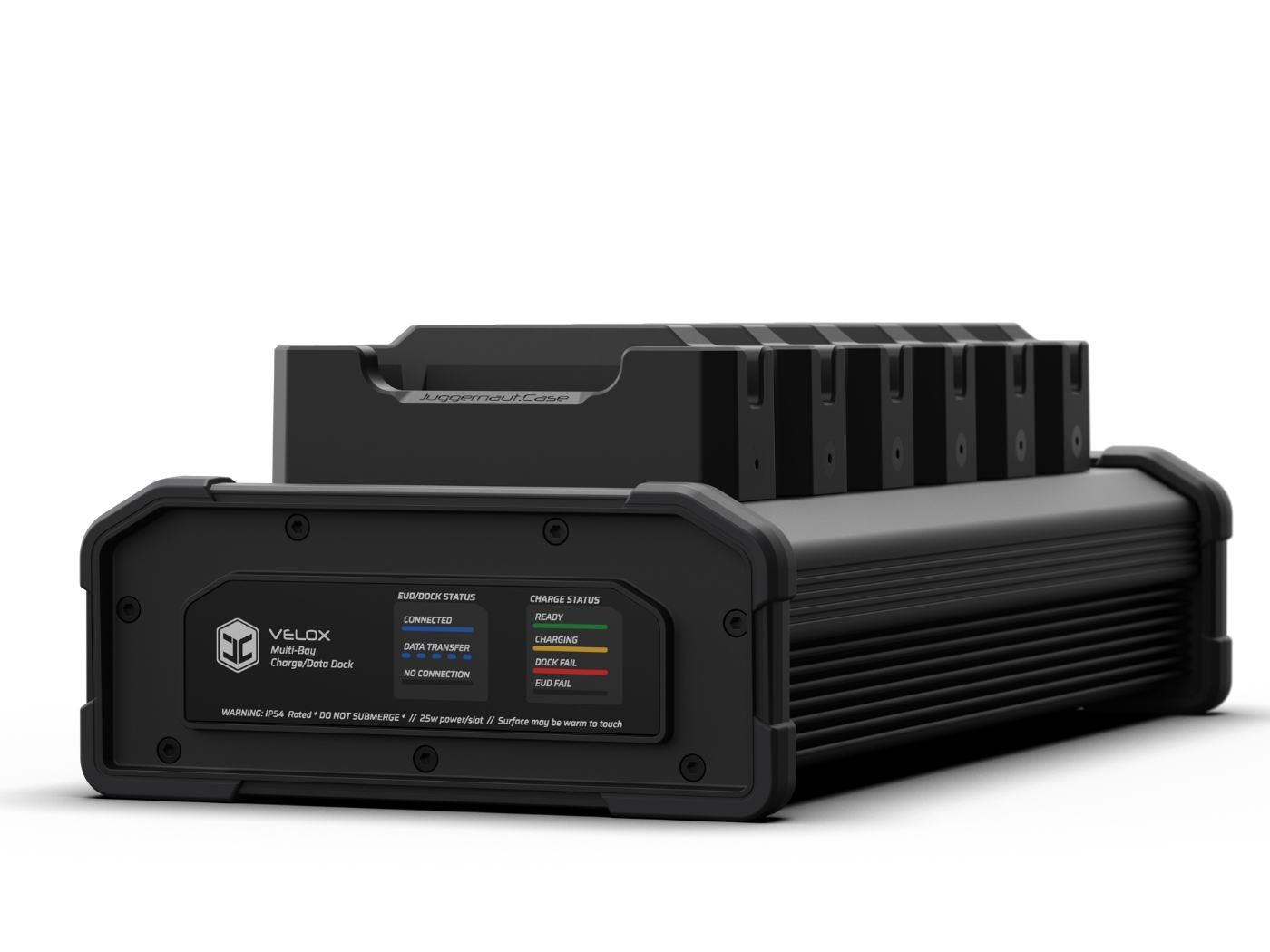
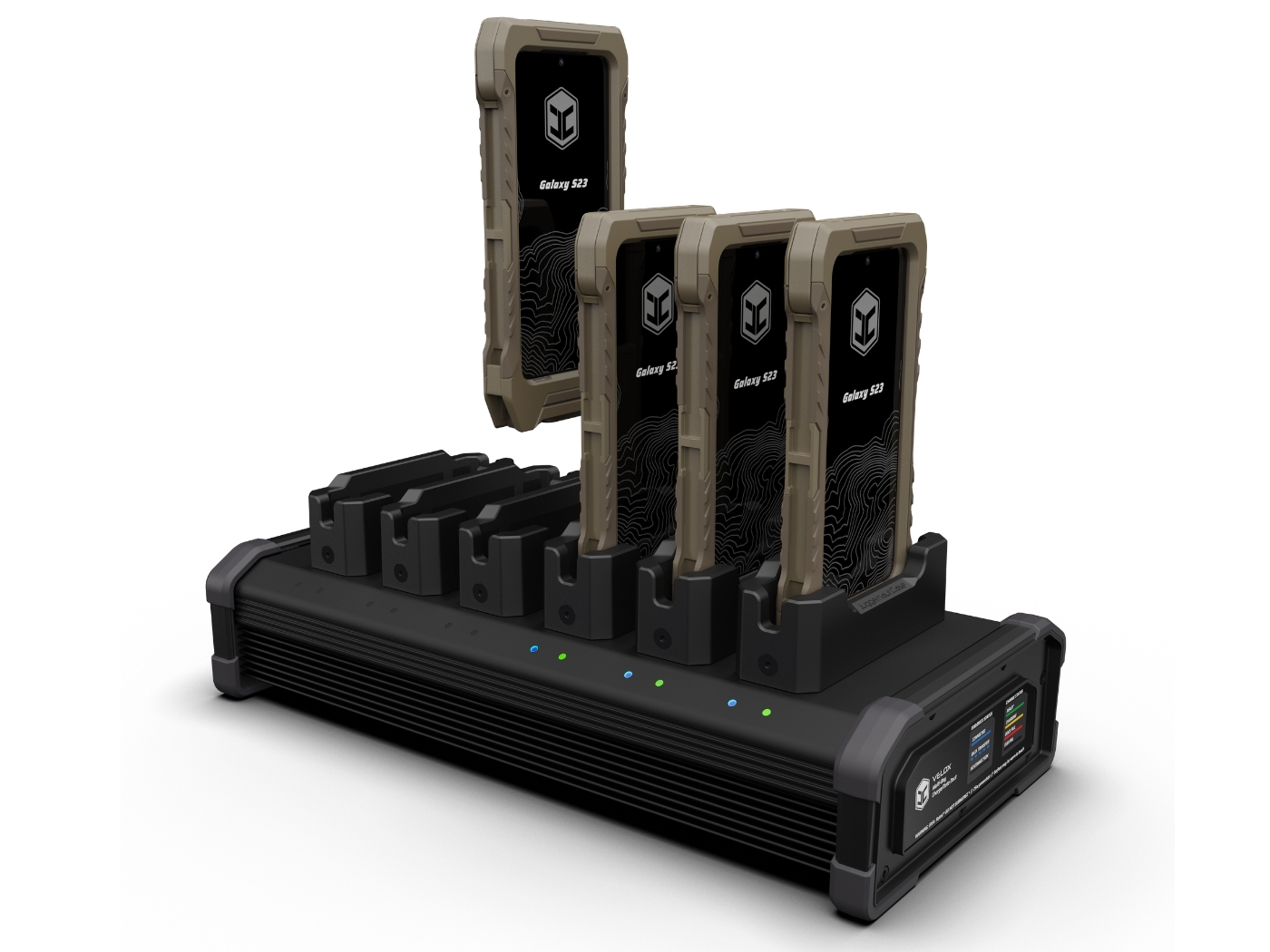
Six bays in one controlled station.
The front of the dock keeps Smart-Block-equipped OPRTR cases upright, visible, and ready for charging, data transfer, and provisioning.
- 6-bay layoutSupports six EUDs per dock.
- Status indicatorsLEDs provide bay-level charging and data activity feedback.
- Continuous protectionEUDs stay inside the OPRTR case while docked.
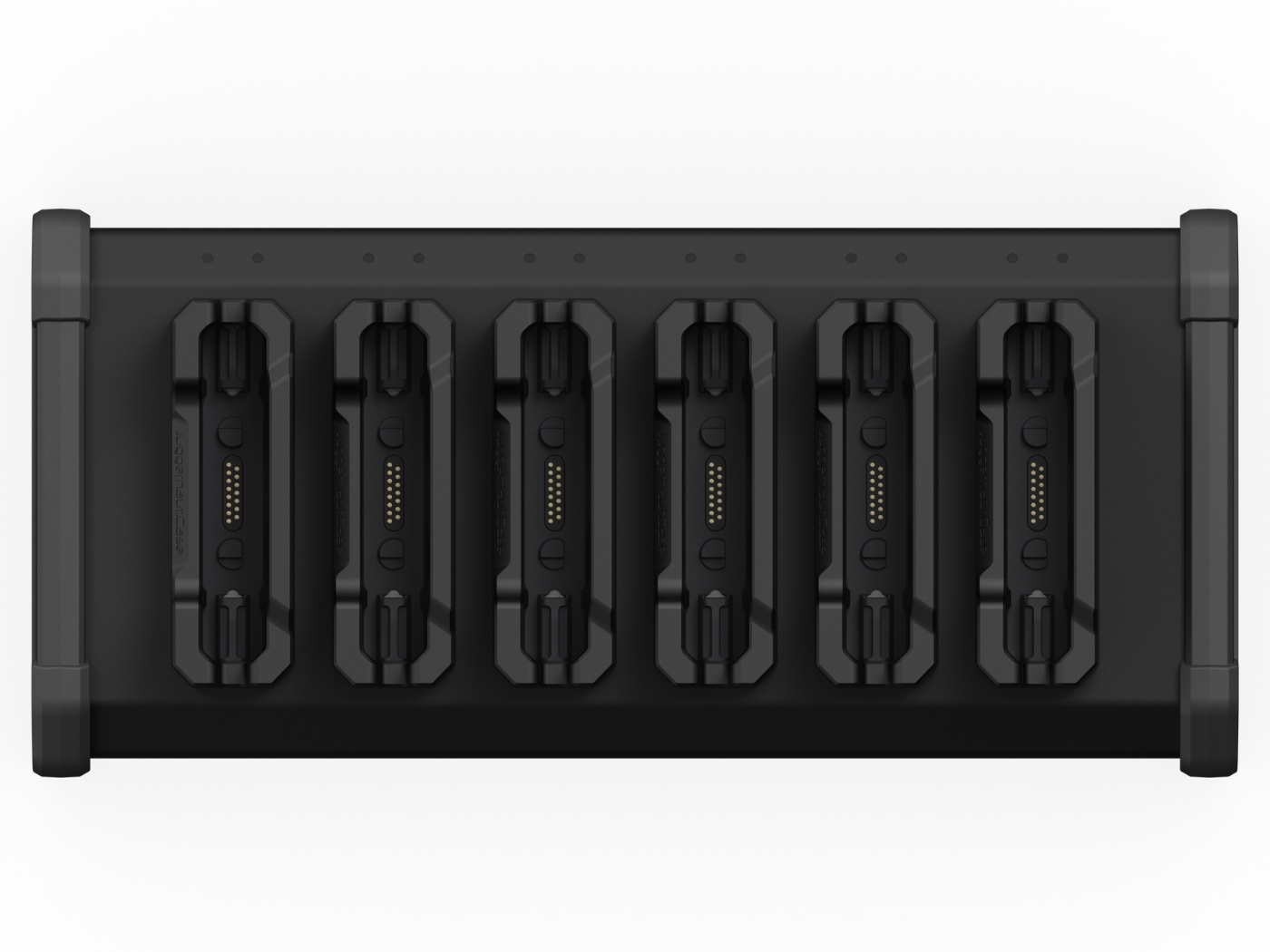
Connection through the case.
Each bay aligns the Smart-Block interface with the VELOX Dock receiver pins so power and data move through the case without exposing the device.
- Guided seatingSpring plunger hardware holds the case at the base of the Dock.
- Pogo-pin contactReceiver pins support charging and data transfer through the Smart-Block interface.
- Forward-compatible designRemovable bay cups can be swapped as future EUD models are supported.
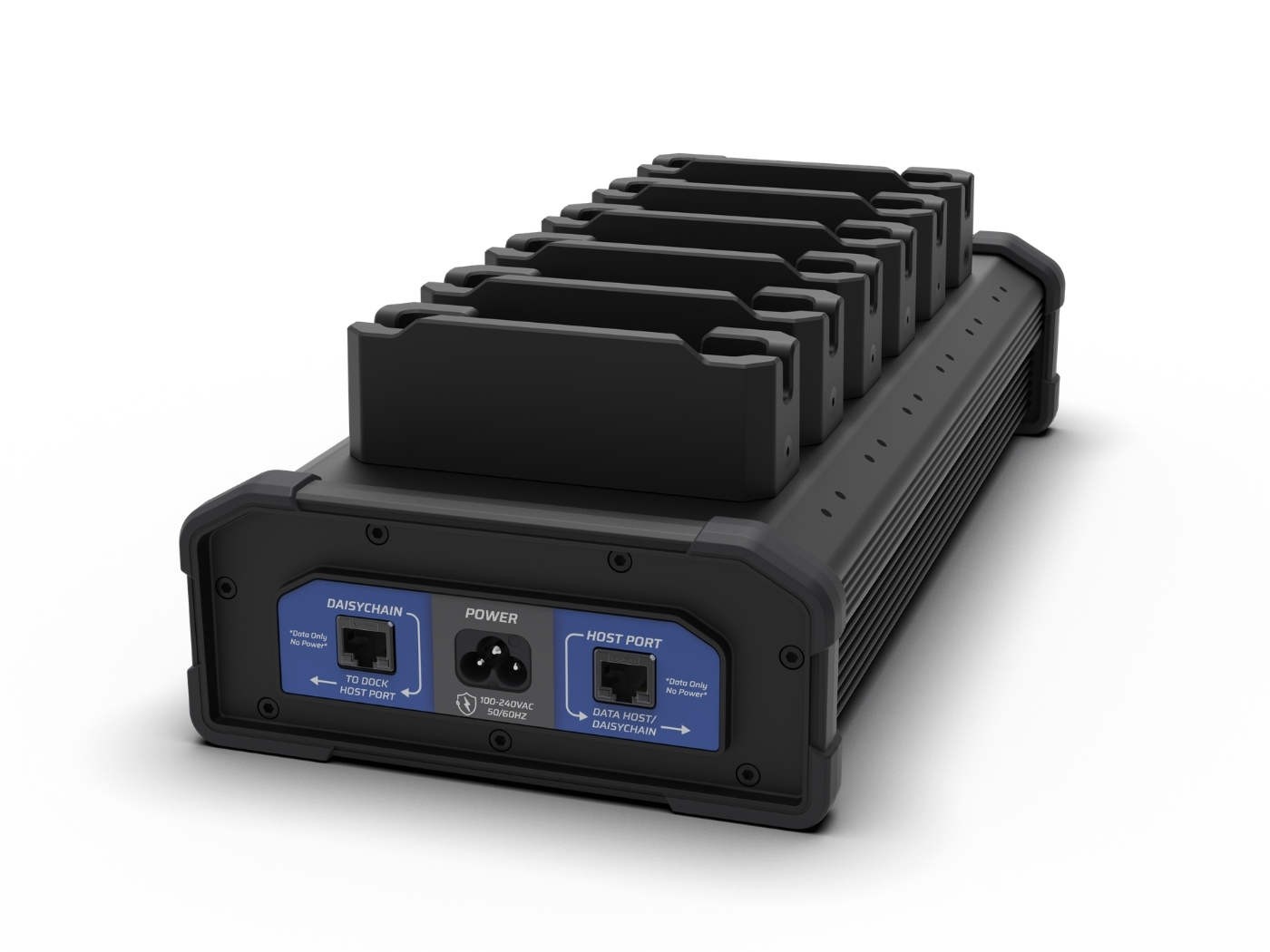
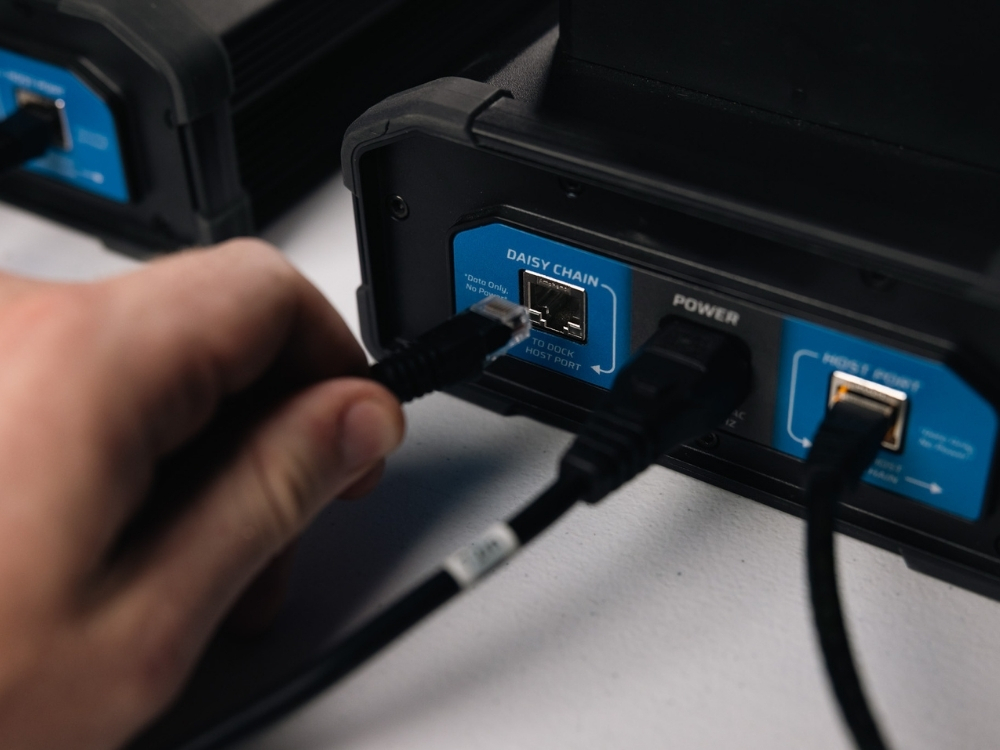
Power, data, and expansion from one side.
The rear I/O keeps power and data connections organized behind the Dock, helping clear the work surface while supporting computer connection and Dock-to-Dock expansion.
- AC power inputConnects the Dock to standard AC power.
- Computer connectionRJ45 connectivity supports data transfer between the Dock and a connected computer.
- Daisy-chain expansionA second RJ45 port supports expansion to additional Docks using CAT6 cables.
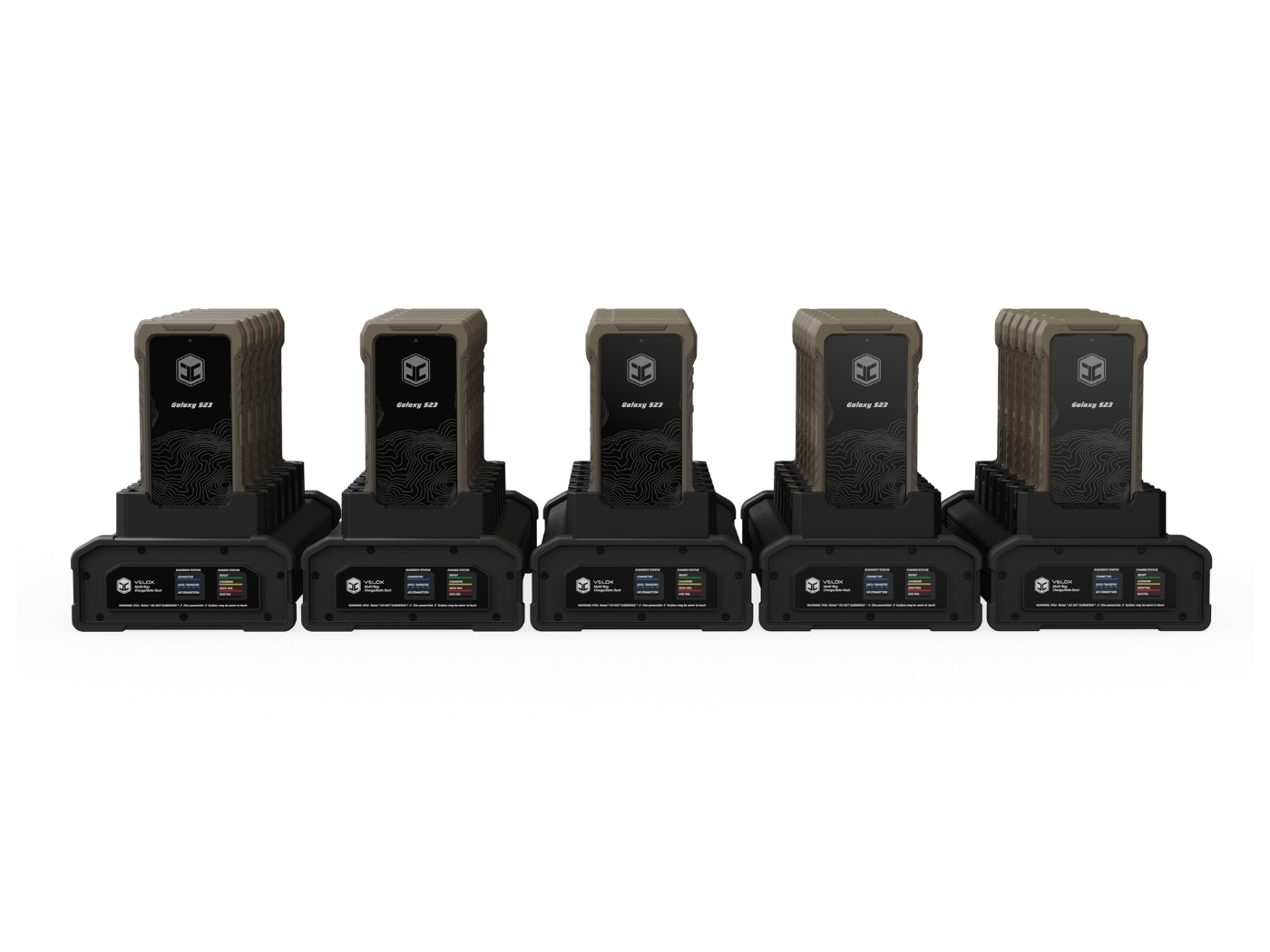
Expand from one Dock to a larger team station.
Connect up to five docks together to support larger device sets while keeping the team-room workflow organized and cable clutter under control.
- Five-Dock chainScale from a single 6-Bay Dock to an expanded setup.
- 30-EUD capacitySupport up to thirty devices across the full Dock chain.
- Organized expansionCAT6 connections keep multiple Docks linked in a clean, controlled workflow.
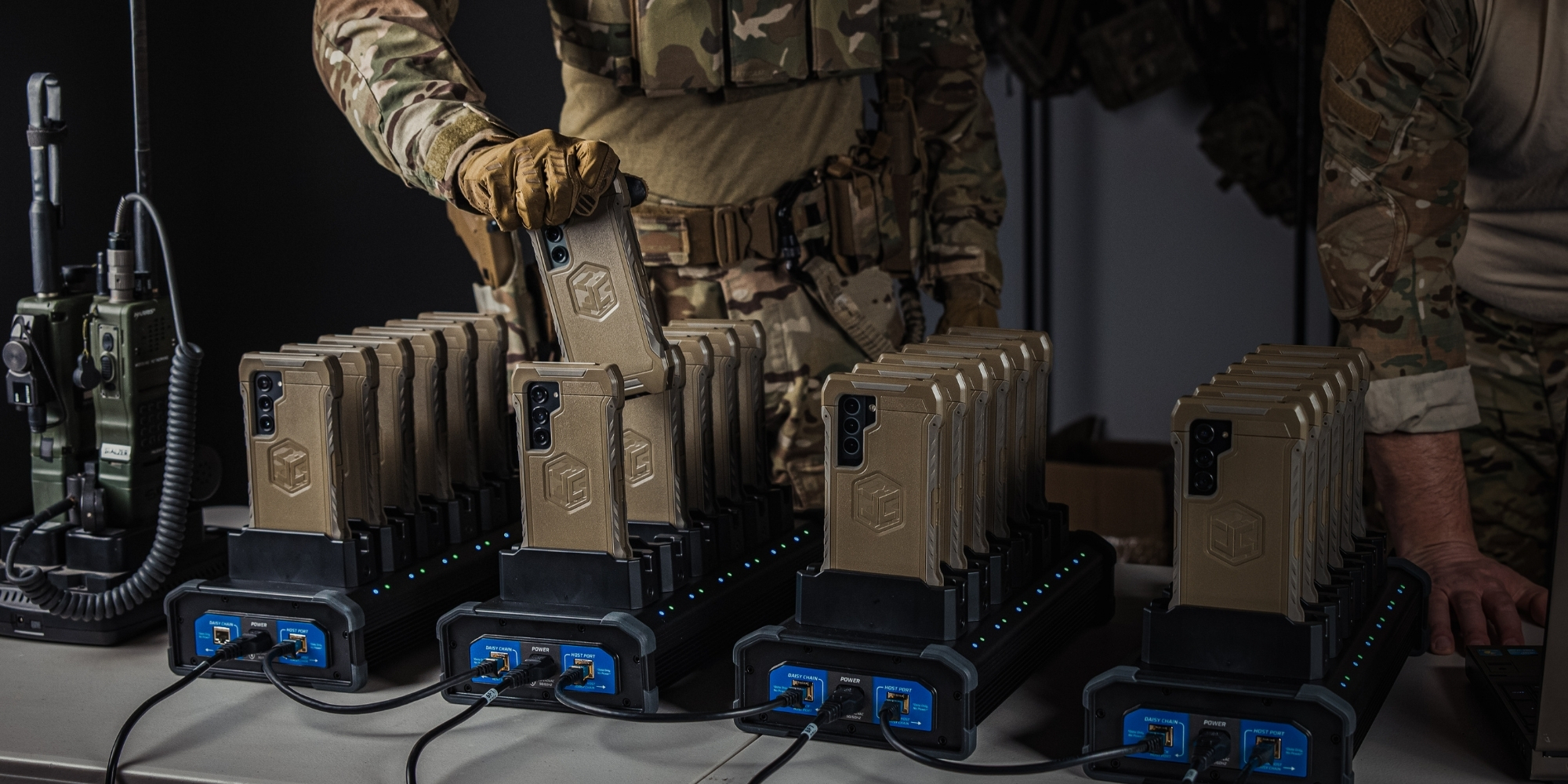
Devices staged for the next cycle.
Stacked and staged EUDs stay organized around the Dock station, making it easier to manage what is ready, charging, or waiting for provisioning.
- Organized handoffKeep devices grouped before and after Dock use.
- Provisioning supportSupports mission data provisioning with a third-party MDM.
- Faster redeploymentHelps teams move from after-action, to staging, to next mission.
One dock for six. Five docks for thirty.
Start with one dock for six EUDs, or daisy-chain up to five docks to support up to thirty devices. Each dock provides up to 25W per bay and supports data transfer through the Smart-Block bay interface.
Six EUD bays per dock.
Up to five docks connected together.
Up to thirty devices in one session.
Up to 25W output per docked EUD.
Built for repeated team use.
Watch how team EUDs cycle through the charge and data provision process for mission readiness.
Charge/Data Dock specs.
The Juggernaut VELOX Ecosystem incorporates patented RAM® Mount technology that practices one or more patents related to GDS® IntelliSkin® technology, which can be found HERE.
Connect the rest of the system.
Pair the VELOX Charge/Data Dock with VELOX Smart-Block, VELOX Armor Mount, and the VELOX Field Cable to support protected EUD use across team-room, kit-mounted, and individual field operations.
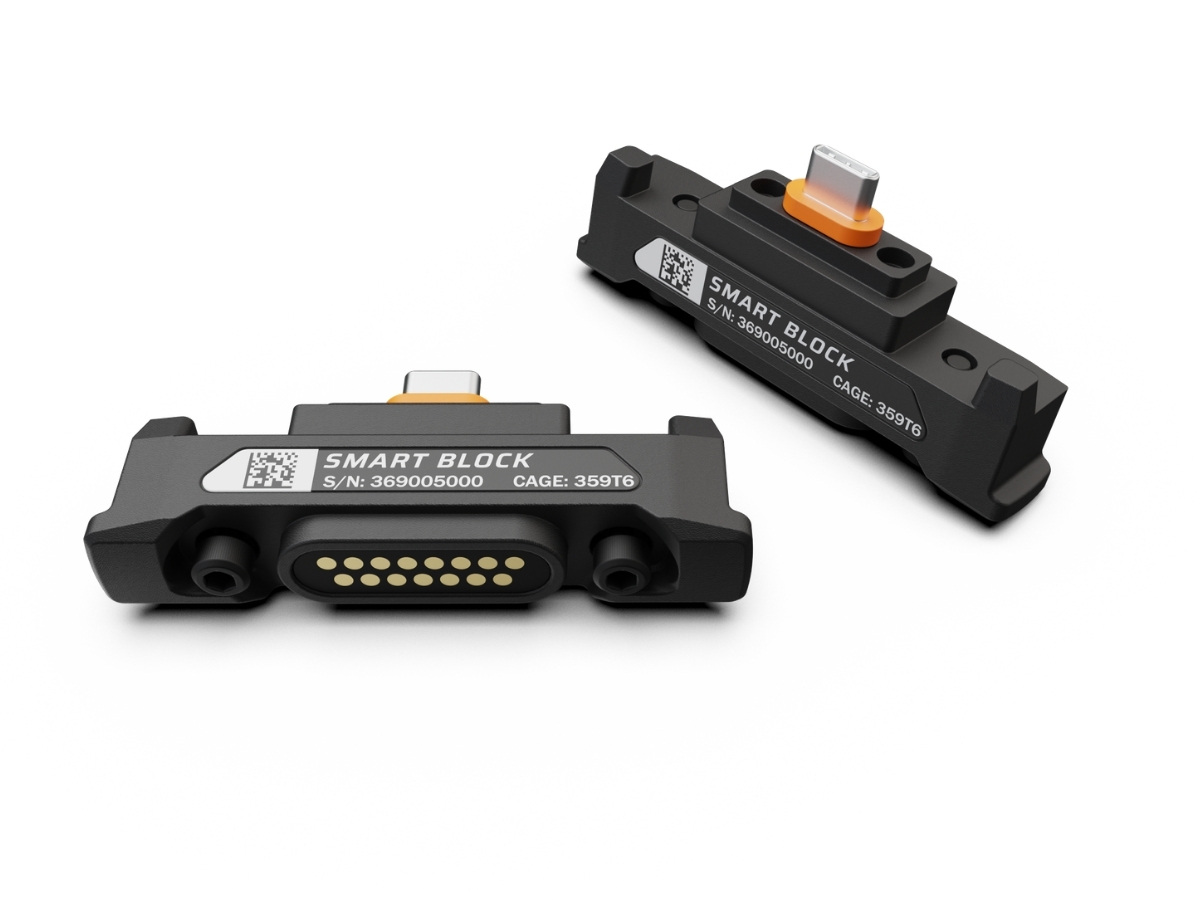
VELOX Smart-Block
Replaces the OPRTR QD door and creates the 15-pin USB 3.2 interface.
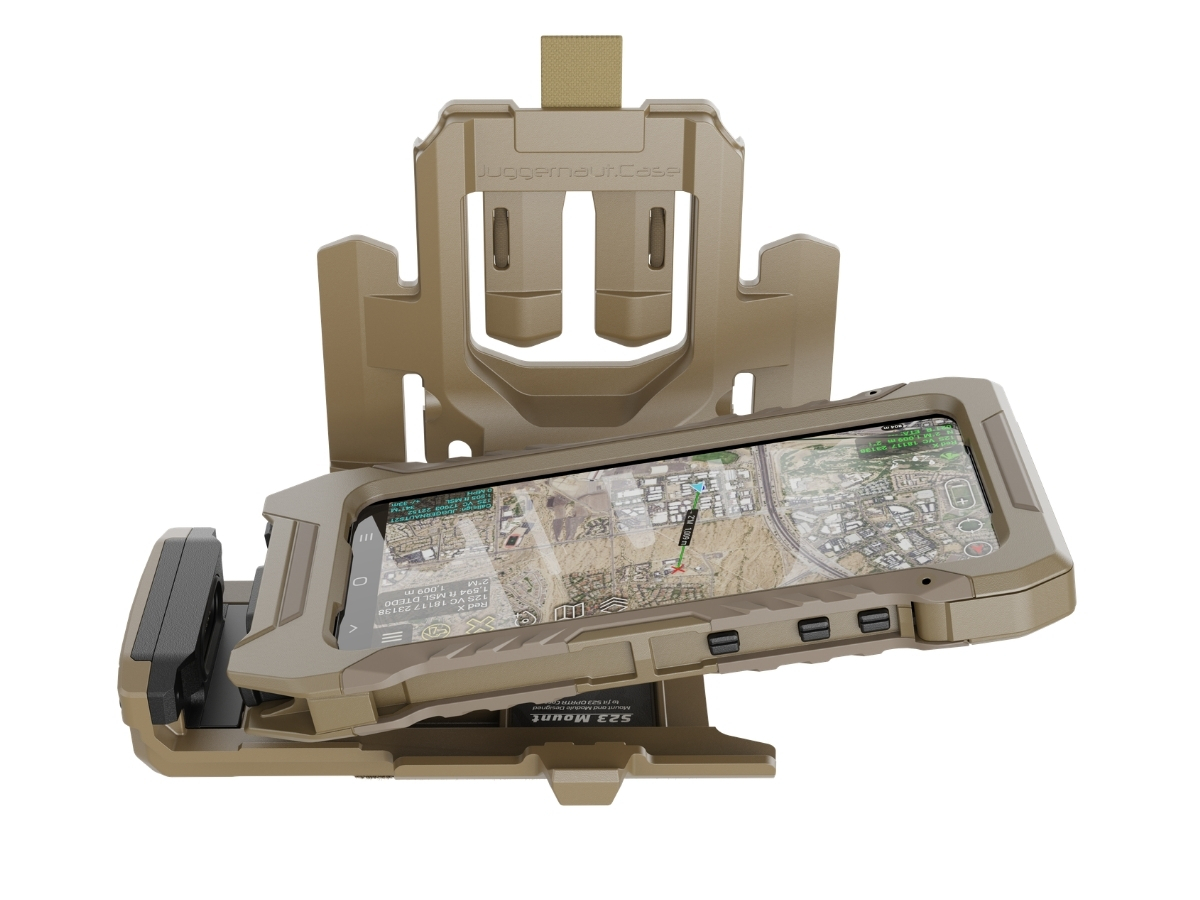
VELOX Armor Mount
Moves the cable interface into the mount for cleaner kit-level power and data routing.
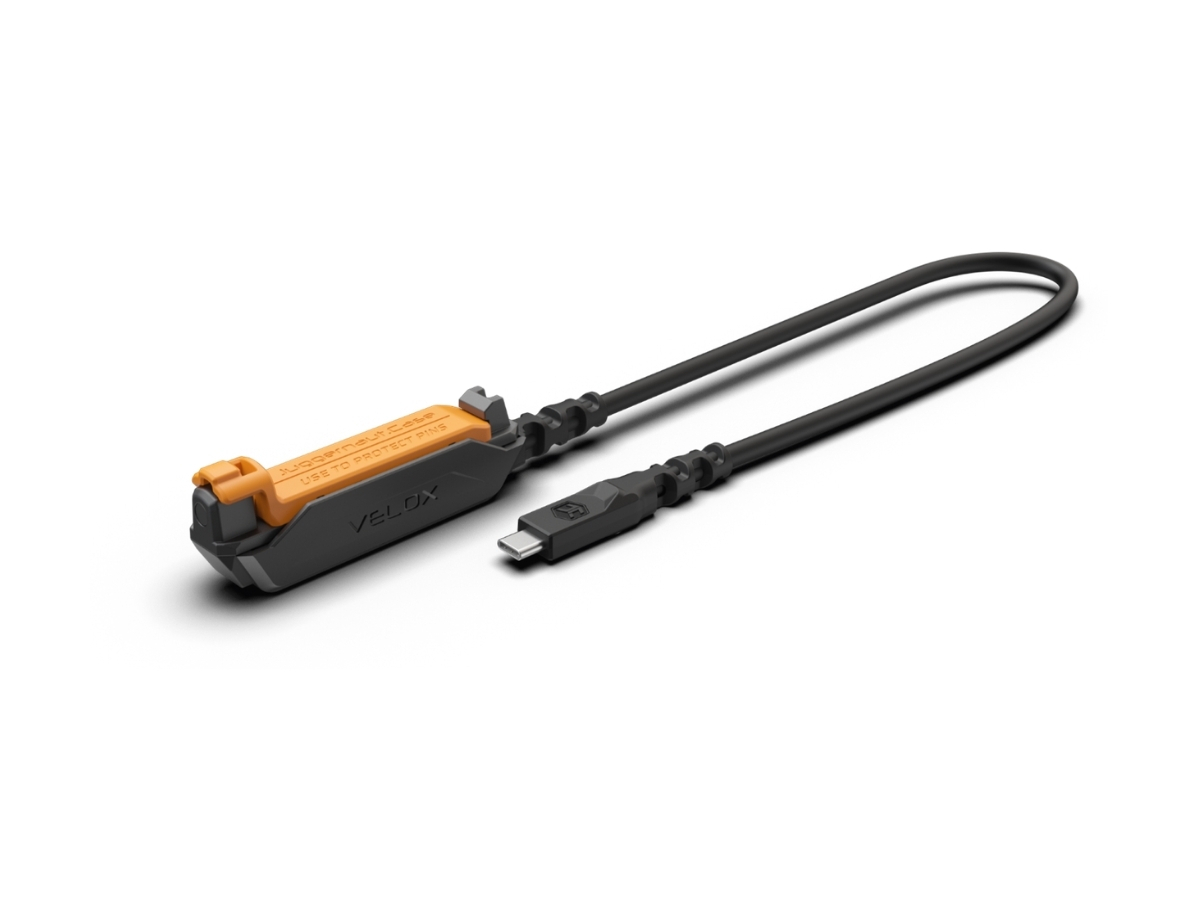
VELOX Field Cable
Direct 15-pin to USB-C power and data connection for individual Smart-Block-equipped OPRTR cases.
Instructions and MDM referrals.
Use the Dock Instructions for power output, data speed, indicator light, and daily-use reference. For mission data provisioning, request an MDM referral for supported partner options.
Dock Instructions
What is the power output? What are the data speeds? What do the indicator lights mean? View the Dock Instructions for a detailed guide to VELOX Dock setup and operation.
MDM Referrals
Need a referral to an MDM solution?
Ready your mission.
Our team can help guide you through all the right VELOX system components that you need.